
 29 April 2026
 Share
Share
1
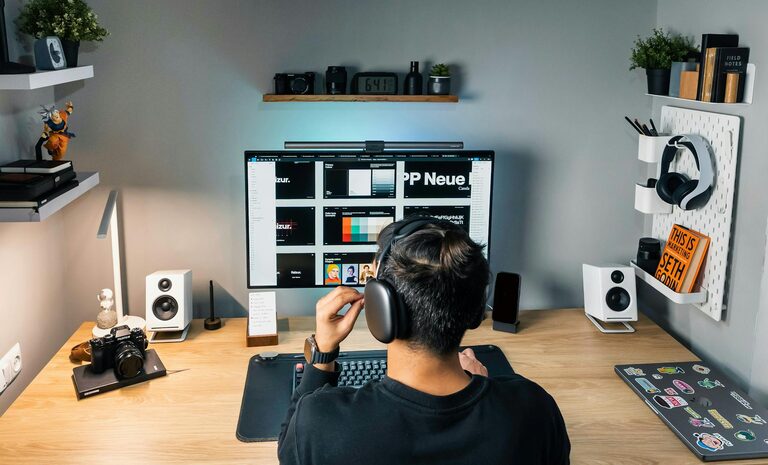
Creating a comfortable and productive home office space is essential for anyone working remotely or spending extended periods working from home. A well-designed workspace not only improves focus and efficiency but also promotes good posture and well-being. Whether you have a dedicated room or a small nook for your office, the following tips will help you transform your space into an effective and pleasant work environment.
Selecting the ideal spot for your home office is the first step. Look for a quiet area with minimal distractions and good natural light. If possible, avoid high-traffic zones or noisy rooms, as these can hinder concentration.
Consider the following:
– Near a window to benefit from daylight, which improves mood and alertness.
– Away from your bedroom, so you can clearly separate work and rest areas.
– Close to power outlets for your electronic devices.
Comfort is key when spending long hours working. A good chair and desk can prevent discomfort and health issues such as back pain.
– Choose a desk that fits your space but offers enough surface area for your computer, documents, and other essentials.
– Adjustable desks are excellent options if you want to switch between sitting and standing.
– Opt for an ergonomic chair with adjustable height, lumbar support, and cushioning.
– Your feet should rest flat on the floor or on a footrest, with knees at a 90-degree angle.
Lighting plays a vital role in reducing eye strain and keeping you alert.
– Maximise natural light but avoid glare on your screen by positioning your desk perpendicular to windows.
– Use a desk lamp with adjustable brightness and temperature to complement ambient lighting.
– Choose daylight bulbs to mimic natural light, enhancing productivity.
A cluttered workspace can distract and stress you. Keeping your home office tidy helps maintain focus.
– Use organisers like trays, filing cabinets, or shelves to store documents and supplies.
– Keep only frequently used items on your desk.
– Consider cable management solutions to avoid tangled wires.
Adding personal touches can make your office more inviting and motivating.
– Decorate with plants, which improve air quality and create a calming atmosphere.
– Display photos or artwork that inspire you.
– Use colour thoughtfully; blues and greens tend to be calming, while yellows can boost energy.
Reliable technology is crucial for productivity.
– Ensure you have a stable internet connection.
– Use an external monitor if you work on a laptop for better screen space.
– Invest in accessories like a good quality keyboard and mouse for comfort.
Creating a productive workspace is also about mindset and habits.
– Set clear working hours to separate professional and personal life.
– Communicate your schedule to family or housemates to minimise interruptions.
– Take regular breaks to stretch, rest your eyes, and recharge.
If noise is unavoidable, take steps to manage it.
– Use noise-cancelling headphones to focus in noisy environments.
– Add soft materials such as rugs, curtains, or cushions to absorb sound.
– Play calm background music or white noise if it helps concentration.
Designing a comfortable and productive home office is a blend of practical choices and personal preferences. Prioritise comfort and organisation, optimise lighting and technology, and create a space that motivates you. With these tips, you can build an environment that supports your work and wellbeing every day.
