 29 April 2026
 Share
Share
1
Creating a home workspace that is both organised and productive can make a big difference to your daily work routine. Whether you work remotely full-time or just need a dedicated area for occasional tasks, a well-arranged environment helps reduce distractions and keeps you motivated. Below are simple and practical ways to transform your home workspace into a place where you can focus, feel comfortable, and get things done efficiently.
Start by selecting a space that suits your work style. Ideally, this should be a quiet area where you can concentrate without constant interruptions. It doesn’t have to be a separate room; even a nook in the living room or bedroom can work if set up properly.
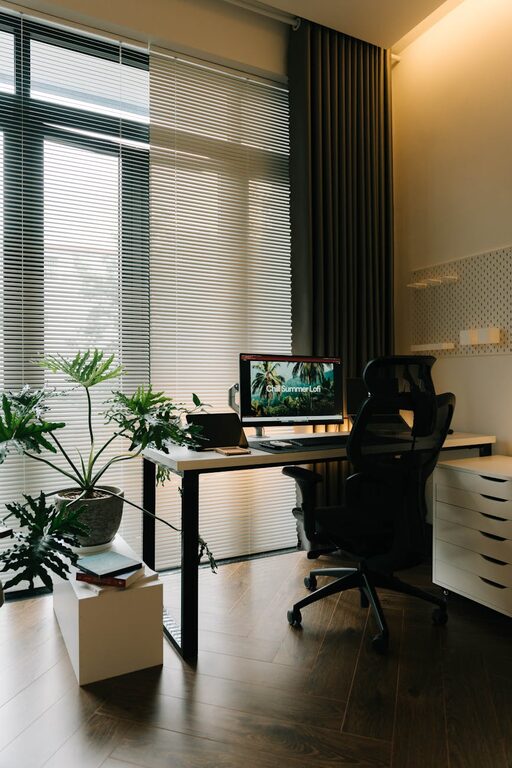
Position your desk near a window if possible. Natural daylight can improve mood and alertness while reducing eye strain. If natural light is limited, invest in good quality desk lamps that provide bright, clear illumination.
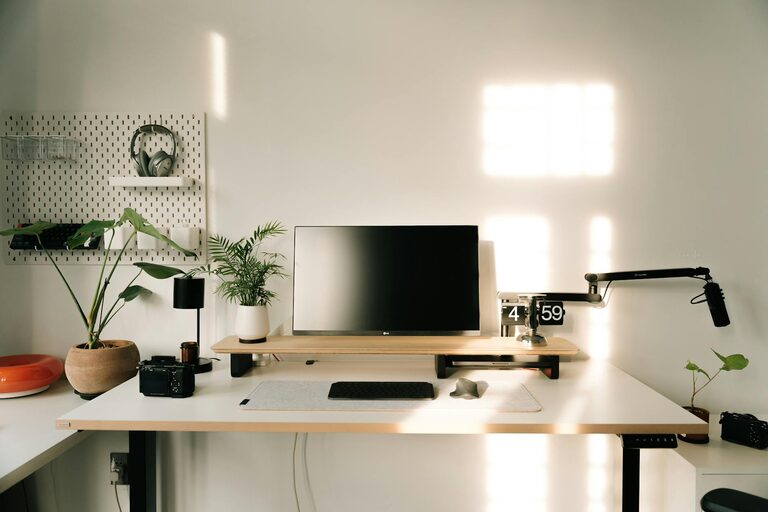
A cluttered desk can be distracting and stressful. Keep only essentials on your workspace to maintain a clean and organised area.
– Regularly clear away unused papers, stationery, and gadgets.
– Use cable organisers or clips to manage wires and charger cables neatly.
– Have a small, attractive bin nearby for quick disposal of rubbish.
Good storage keeps your workspace tidy and everything within reach. Consider these options:
– Drawer organisers to separate stationery, documents, and small tools.
– Shelves or filing cabinets to store books, files, and other materials.
– Desk organisers for items like pens, notepads, and sticky notes.
Label storage boxes and folders clearly, so you can find what you need quickly without rummaging.
Comfort plays a vital role in productivity. An ergonomically designed chair and desk can prevent strain and discomfort during long working hours.
– Select a chair with adjustable height and lumbar support.
– Make sure your desk height allows you to type with your wrists straight.
– Use a footrest if your feet don’t rest flat on the floor.
To stay productive, try to keep distractions at bay:
– Turn off unnecessary notifications on your phone and computer.
– Use noise-cancelling headphones if your environment is noisy.
– Establish boundaries with family members or housemates about your work hours.
Adding personal touches can make your workspace more inviting, but don’t overdo it. A small plant, a favourite photo, or some artwork can brighten the area and boost mood. Avoid too many decorations that might clutter your desk or divert your attention.
Physical organisation is important, but digital clutter can be just as distracting. Set up folders on your computer to arrange documents, emails, and projects logically. Regularly back up your files and delete what you no longer need to keep everything running smoothly.
Being organised also means having good habits. Set regular working hours and take short breaks to keep your mind fresh. Use tools like calendars, to-do lists, or task management apps to plan your day and track progress.
If your workspace has limited room, think vertically.
– Wall-mounted shelves can hold books or supplies.
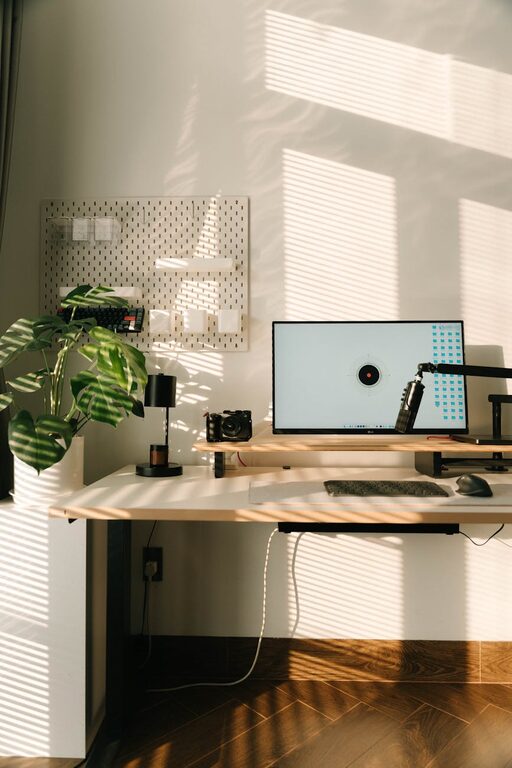
– Pinboards or magnetic boards keep reminders and notes visible without cluttering the surface.
– Hooks can hold headphones, bags, or cables neatly.
Once your workspace is organised, keep it that way by setting aside a few minutes at the end of each day for tidying up. This simple habit prevents mess from building up and helps you start the next day with a clear desk and a focused mind.
—
By following these simple steps, you can create a home workspace that promotes productivity and wellbeing. Remember, the best workspace is one that suits your needs, feels comfortable, and encourages good work habits. Start small, stay consistent, and enjoy the benefits of an organised and efficient home office.